














Sportloto login — signing in with your phone number and restoring access
Sportloto login works with a single pair of credentials: your mobile number and a password. No letter-based usernames, e-mail addresses or social networks — the phone number given at registration remains the core identifier of a Sportloto account. Below we cover logging in from a desktop and a smartphone, the four sections of the Sportloto personal account, changing your password, common login failures and checking the domain before you enter your details.
A Sportloto UA account is created automatically once you confirm your number with an SMS code, so there is no separate "email activation" step. This makes getting started easier for newcomers, but it raises the stakes of SIM card access: losing your number directly blocks your Sportloto login.
This material is for information only and is not an invitation to gamble. Gambling is available to persons aged 21 and over.
| Parameter | Value |
|---|---|
| Identifier | Mobile phone number |
| Second factor at registration | SMS code |
| Password | Set by the user, changed in the account |
| Sections in the Sportloto account | 4 |
| Promo code | Entered in a separate form at the registration stage |
| Age limit | 21+ |
Contents
- Logging in to your account
- Logging in from a smartphone
- Can't log in
- Changing your password in the account
- Login security on the site
- Support for login issues
- FAQ
Logging in to your Sportloto UA account
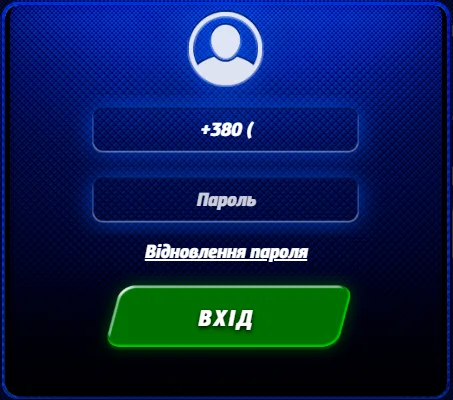
Logging in gives you access to your balance, game history and withdrawals. Until you log in, the Sportloto site shows only the shop window: the catalogue and slot demo mode. Real-money spins become available only after the Sportloto system recognises your account.
Phone number and password
- Click «Sign up» on the Sportloto home page if you do not have a profile yet.
- Enter your current mobile number — the confirmation will be sent to it.
- Enter your Sportloto promo code in the separate form if you have one.
- Click «Sign up» again, then go to «Log in».
- In the Sportloto login form, enter your phone number and the SMS code.
- The account is created automatically; after that, you log in with your number and password.
SMS code on first login
Your first login to Sport Loto always goes through SMS: the system matches the number you entered against the one stored in the database and only after a match links the device to your Sportloto profile. The code is single-use and cannot be reused. If the message has not arrived within a minute, request it again rather than entering the old set of digits — it is no longer valid.
Four sections of the personal account
After logging in, the Sportloto personal account opens with four sections: profile with personal details, finances with deposits and payouts, gaming activity history and security settings. The last one handles password changes and session management, so newcomers should visit it right after their first login.
Logging in to Sport Loto from a smartphone

Mobile traffic in the Ukrainian online casino segment has long exceeded desktop traffic, so the Sportloto login form is adapted to small screens. The number and password fields are arranged vertically, and the keyboard switches to numeric automatically.
Mobile version of the site without an app
You do not need a separate APK to log in: the browser version of Sportloto casino opens the same sections as the full site, including the cashier. For quick access, add the Sportloto page to your home screen via the browser menu — the shortcut behaves like an app but updates automatically.
Saved session and autofill
Your browser can save the "number — password" pair, and then logging in to Sportloto takes a single tap. On a personal device this is convenient; on a shared one it is a risk, because anyone with access to the phone can open your account. A password manager with biometric protection is safer than ordinary autofill.
| Way to access Sportloto | What to consider |
|---|---|
| Mobile browser | Full functionality, no files to install |
| Home screen shortcut | Quick launch, automatic updates |
| Saved session | Convenient on your own phone, unsafe on someone else's |
| Desktop | A bigger screen for slots, more convenient transaction history |
Can't log in to Sportloto casino
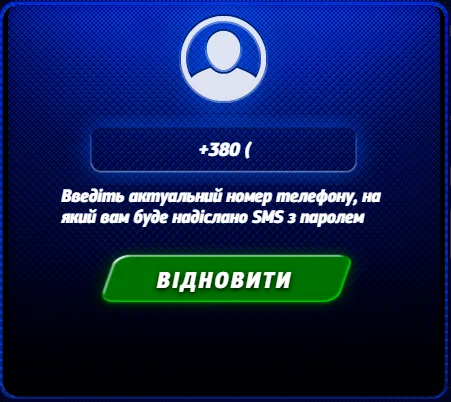
Most Sportloto login failures come down to three causes: incorrect details, SMS delivery problems or the browser cache. Below is a course of action for each scenario, without unnecessary support requests.
Password or number not accepted
Check the number format: the Sportloto system expects a Ukrainian operator code without spaces or brackets. The password is case-sensitive — turn off Caps Lock and make sure the keyboard layout is Latin. If the combination still does not work, start password recovery via the form on the Sportloto login page.
SMS code does not arrive
- Make sure the SIM card is active and your balance allows you to receive messages.
- Turn off spam filters and SMS blockers in your smartphone settings.
- Restart the phone — a stuck registration on the operator's network happens more often than you might think.
- Wait 60 seconds and request the Sportloto code again.
- When roaming, check that receiving service messages is enabled.
Page freezes after the login button
Clear the cache and cookies, then try to open Sportloto casino in incognito mode. If the form loads correctly there, the problem lies in the browser's stored data. VPNs and proxies also often break the Sportloto session: turn them off before logging in. If the domain is blocked by your provider, open the Sportloto mirror.
| Symptom when logging in to Sportloto | Action |
|---|---|
| «Incorrect password» | Reset the password via SMS confirmation |
| Code does not arrive | Request again after 60 seconds, check filters |
| Blank white page | Clear the cache, use incognito mode |
| Profile not found | Check the number, contact support |
Changing your password in the Sportloto casino account
The password is changed in the Sportloto account, in the security section. The procedure requires confirmation with your current password or a code sent to the linked number — this protects your account if a session has been left open on someone else's device.
Profile security settings
- Log in to Sportloto and open the security section of your account.
- Select the password change option.
- Enter your current combination, then the new one — at least 8 characters, upper- and lower-case letters and digits.
- Confirm the action with the SMS code.
- End active Sportloto sessions on other devices.
Lost access to your phone number
- Restore the SIM card with your operator — this is the fastest route, and the number stays the same.
- If your number has changed permanently, contact Sportloto support with an identity document.
- Do not create a second Sportloto account: duplicates are blocked, and funds on the old profile remain frozen.
- Note the date and circumstances of losing access — the operator will ask for these details during verification.
Login security on the Sport Loto site
Phishing copies of Sportloto login pages are a common scheme in the online casino segment. A fake form looks identical to the original but sends your password to a fraudster. Checking the address bar takes two seconds and removes the main risk.
Checking the sportloto.co domain
The official Sportloto address is sportloto.co, with a connection secured by an HTTPS certificate and a padlock icon. Domains with added hyphens, numbers or other zones have nothing to do with the Sportloto brand. Bookmark the login page and open it only from there, not from ads in messengers.
Signs of a fake login page
- No HTTPS, or the browser shows a certificate warning.
- The form asks for the SMS code together with the password at the very first step.
- A request for bank card details at the login stage.
- Spelling mistakes in the Sportloto brand name and a clumsy interface translation.
- A promise of a bonus «just for logging in».
Logging in from someone else's device
Use a private browser window, do not save the password and log out of your Sportloto profile when the session is over. Public Wi-Fi without encryption is not suitable for financial transactions — transfer your winnings later, from your home network.
| Sportloto security rule | Why |
|---|---|
| Bookmark of the official domain | Rules out landing on a phishing copy |
| Unique password | A data leak from another site will not affect your account |
| Logging out after a session | Blocks access from someone else's device |
| Browser updates | Closes known vulnerabilities |
Sportloto Ukraine support for login issues
If the self-help steps did not work, contact Sportloto support. Have ready the phone number linked to your profile, a description of the error and a screenshot — this cuts the back-and-forth in half. Requests about finances are processed after identity verification.
| Contacting Sportloto support | What to prepare |
|---|---|
| SMS does not arrive | Number, operator, time of the last request |
| Change of number | Identity document |
| Suspected hacking | Transaction history, date of the last login |
| Technical error | Screenshot, browser, device model |
FAQ
Short answers to the questions newcomers ask most often when logging in to Sportloto for the first time.
Can I log in without a phone number?
No. The mobile number is the only profile identifier at Sportloto UA; there are no alternative login methods via e-mail or social networks. If you have lost access to your SIM card, restore it with your operator or contact Sportloto support with your documents.
How long is the confirmation code valid?
The Sportloto SMS code is single-use and valid for a limited time — usually a few minutes. Once it expires, the combination is cancelled and a new request is needed. Do not share the code with third parties: support staff never ask for it.
Is there a separate app for logging in?
Logging in to Sport Loto is done through the browser. The mobile version of the Sportloto site fully replicates the desktop functionality, so there is no need to install third-party files. A home screen shortcut replaces an app without the risk of downloading a fake APK.
What should I do if the account is not found?
Check that the number and operator code are correct. If your Sportloto registration was not completed, the profile simply does not exist — go through it again. If there are deposits on the old account, you must not create a new account; you need to contact Sportloto support.
This text is for information only and is not an invitation to gamble. Gambling can be addictive. Play responsibly, set deposit limits and, if needed, seek help from specialised support services.